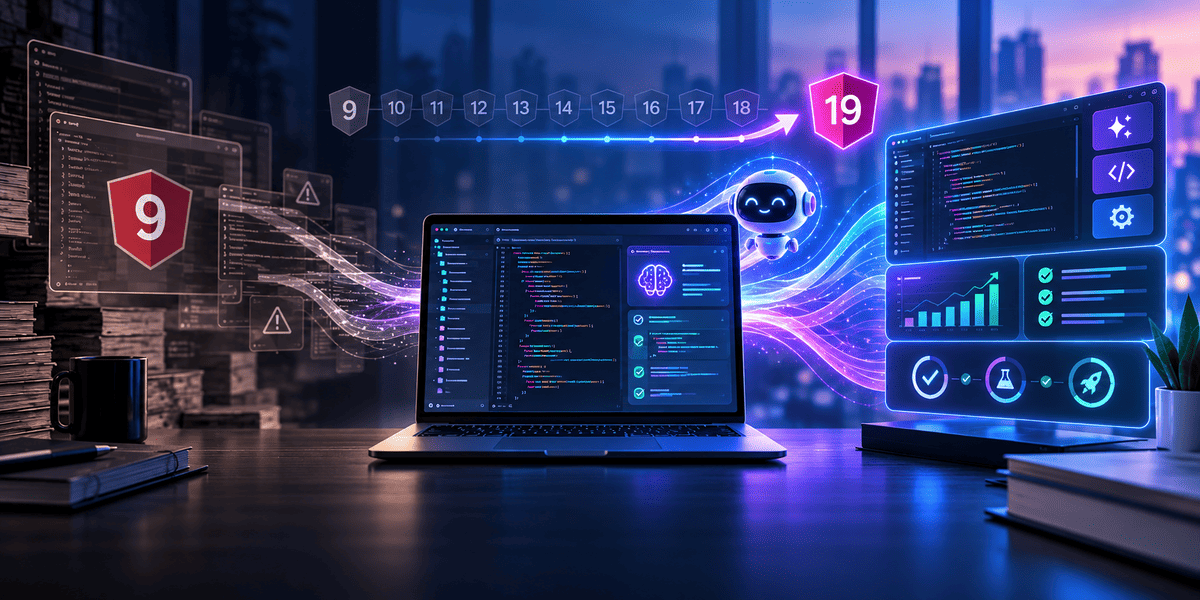


Upgrading an Angular app from version 9 to version 19 is not a small task.
It means moving through ten major versions. Along the way, you may face new build tools, updated APIs, old packages, TypeScript changes, and code that no longer works the same way.
After working through a migration like this, one question comes up naturally:
Could AI have helped us finish it faster?
The short answer is yes.
But not in the way many people expect.
AI could have helped with code review, error analysis, repeated fixes, testing, and understanding old code. It could have reduced some of the manual work developers had to do.
What it could not do was safely take over the whole migration.
A major Angular upgrade still needs planning, testing, step-by-step updates, and developers who understand the app.
That was the biggest lesson for us.
AI can speed up migration work. It cannot replace the migration process.
Why an Angular 9 to 19 Migration Is More Than a Version Change
At first, the work can look simple.
Change the Angular version. Run npm install. Fix the errors.
In a real project, it is rarely that easy.
An Angular app that has been running for years usually has much more around it.
It may include:
- Old third-party packages
- Custom components
- Shared modules
- RxJS code
- Angular Material
- Build settings
- Test files
- Browser-specific fixes
- Business rules written years ago
One package can block another.
One TypeScript change can create errors across many files.
A build may pass, but a screen may still fail during a real user flow.
That is why a large Angular migration should not be treated as one big version change.
It is better to treat it as a series of smaller upgrades.
Where AI Could Have Saved Us Time
The biggest value of AI is not in running the upgrade command.
Angular already gives developers tools for that.
The real value comes after the upgrade starts.
That is when errors begin to appear.
Some errors are easy to understand.
Others take time.
A compiler error may point to one file, while the actual issue is inside a shared service or an old package.
AI can help with this.
A developer can share the error, the related code, and the Angular version.
Then the AI can explain what changed and suggest a possible fix.
One error may only save a few minutes.
But during a large migration, developers may deal with hundreds of issues.
Those small time savings can add up.
AI Can Help Developers Understand Old Code
Old code is one of the hardest parts of a large migration.
The developer who wrote a feature years ago may no longer be on the team.
Comments may be missing.
Variable names may not be clear.
Some code may exist only because of an old bug or customer request.
Before changing that code, someone has to understand it.
This is where AI can help.
A developer can ask questions such as:
- What does this service do?
- Why is this observable written this way?
- Which components depend on this method?
- Can this code be simplified without changing the result?
- Is this Angular pattern still recommended?
This can reduce the time spent reading unfamiliar code.
But there is an important rule.
AI should help explain the code before it rewrites the code.
Changing code that nobody understands can create more risk.
Dependency Problems Still Need Human Decisions
Dependencies can become one of the slowest parts of an Angular migration.
A library that worked well with Angular 9 may no longer support newer versions.
The package may have changed.
It may have been replaced.
It may no longer be maintained.
Now the team has to make a choice.
Should we update it?
Should we replace it?
Should we remove it?
Should we rebuild that feature ourselves?
AI can help compare options.
It can explain package errors.
It can help developers understand why two package versions do not work together.
It can also suggest alternatives.
But the final decision still needs a developer.
A replacement package may look good but may not support an important feature.
An old package may appear unused but still support a key customer flow.
AI understands the code you show it.
The team understands the product.
Both are needed.
Large Angular Upgrades Should Still Be Done in Stages
Trying to move a large app from Angular 9 to Angular 19 in one jump can create too many problems at once.
When hundreds of errors appear, it becomes difficult to know where each issue started.
A better approach is to upgrade one major version at a time.
For example:
Angular 9 to 10
Then 10 to 11
Then 11 to 12
And continue step by step.
After each upgrade:
- Run the build
- Fix errors
- Run tests
- Test key screens
- Review the changes
- Commit the working version
Then move to the next version.
This approach also makes AI more useful.
Instead of asking:
“Fix this Angular 9 app so it works on Angular 19.”
You can ask:
“This code worked on Angular 12. After upgrading to Angular 13, we now see this error. What changed?”
That is a much clearer task.
AI usually performs better when the problem is small and specific.
AI Can Help With Repeated Refactoring
Major migrations often include repetitive work.
A framework API changes.
The same old pattern may exist in 20, 30, or 50 files.
Changing every file by hand takes time.
This is one area where AI can be very useful.
The developer can update one example first.
Then AI can help apply the same pattern to similar files.
This can save time and reduce copy-and-paste mistakes.
But the first change should always be reviewed.
Once the team knows the pattern is correct, it can be applied more widely.
The goal is not to let AI change hundreds of files without review.
The goal is to reduce boring manual work while keeping developers in control.
Testing Is One of the Best Places to Use AI
Getting the app to compile does not mean the migration is finished.
A successful build only tells you that the code can build.
It does not tell you whether the product still works.
A major Angular upgrade can affect:
- Forms
- Routing
- API calls
- State handling
- Shared components
- UI behaviour
- Browser support
- Tests
This is why regression testing matters.
AI can help write test cases.
It can review a component and suggest missing tests.
It can help update old tests.
It can also explain why a test started failing after an upgrade.
This can save a lot of time.
But AI-generated tests also need review.
A test is only useful if it protects the real behaviour users depend on.
More tests do not always mean better testing.
Build Changes Can Take More Time Than Expected
Angular migrations are not only about components and services.
The build setup changes too.
As Angular has evolved, its build system, configuration, and development tools have changed.
This can affect files such as:
- angular.json
- tsconfig files
- package.json
- Environment settings
- Build scripts
An error here can stop the whole project.
AI can help explain build errors, but only if it has enough information.
Giving AI one line from an error message may not be enough.
It may need to see:
- The Angular version
- The full error
- Related configuration
- Package versions
- The command that failed
This leads to another lesson.
Better input usually leads to better AI output.
The clearer the context, the more useful the answer.
AI Should Not Make Huge Changes Without Review
One of the biggest risks with AI coding tools is speed.
AI can edit many files in seconds.
That feels productive.
But it can also create a large review problem.
Imagine an AI tool changes 80 files.
The app builds successfully.
Does that mean the changes are safe?
Not always.
Someone still has to understand what changed.
Large AI changes are harder to review.
That is why we prefer smaller tasks.
Ask AI to solve one clear problem.
Review the change.
Run tests.
Accept or reject it.
Then move to the next issue.
This may feel slower than allowing AI to rewrite a large part of the project.
In practice, it can save time because bad changes are found early.
Where AI Would Not Help Much
Some migration problems are not really code problems.
They are business problems.
Imagine an old Angular component has unusual logic.
AI may look at it and say the code is duplicated.
It may suggest removing part of it.
But that duplicated code may exist because one customer has a special rule.
The code alone does not explain that.
The same issue can happen with APIs.
A method may look outdated, but an external partner may still depend on that exact format.
AI sees the code.
Your team knows the history.
That difference matters.
The older the app is, the more hidden knowledge usually exists outside the codebase.
Some of it may be in tickets.
Some may be in old documents.
Some may only be known by developers or product managers.
AI can only work with the context you give it.
What We Would Do Differently With AI
If we were planning the same migration today, we would not ask AI to upgrade the whole application.
We would still start with the normal Angular migration process.
Then we would use AI in the areas that take the most developer time.
That would include:
- Understanding errors
- Reviewing old code
- Updating tests
- Handling repeated refactors
- Researching dependency issues
- Writing migration notes
- Comparing possible fixes
We would also keep each task small.
Before accepting a change, we would ask the AI to explain what it changed and why.
That makes bad assumptions easier to spot.
The goal would not be full automation.
The goal would be faster feedback.
A Better AI-Assisted Angular Migration Process
A practical migration should combine Angular tools, AI support, testing, and developer review.
Start with a clean branch.
Make sure the current version is stable.
Run the existing test suite.
Then upgrade one major Angular version.
Run the official migration tools.
Build the app.
Fix the errors.
Use AI to help with the harder problems.
Then run the tests again.
Test important user flows.
Review the changes.
Commit the working version.
Then continue to the next Angular version.
This process may not sound exciting.
But it is far safer than asking an AI agent to upgrade the whole app at once.
For a production system, safe speed is more useful than raw speed.
Could AI Have Cut Our Migration Time in Half?
It is tempting to give a number.
But without real data from the original project, that would only be a guess.
AI may save a lot of time in some areas.
It may save very little in others.
It can make code explanation faster.
It can help with repeated fixes.
It may reduce the time spent searching for the cause of an error.
It can also help with test updates.
But AI does not remove every delay.
You may still have to wait for a package update.
Manual testing is still needed.
Business review is still needed.
Some issues still need deep developer knowledge.
And if the team accepts a bad AI suggestion, the time saved can disappear quickly.
So the better question is not:
How much code did AI write?
The better question is:
How much safe developer time did AI save?
That is the measure that matters.
The Biggest Lesson: AI Works Best as a Migration Partner
A major framework migration still needs patience.
AI does not remove that.
It does not remove dependency problems.
It does not guarantee that old business rules will still work.
It does not replace testing.
What AI can do is reduce some of the slow work around those tasks.
It can help developers understand code faster.
It can explain errors.
It can suggest a first fix.
It can help with repeated changes.
It can support test updates.
It can also help document what changed during the migration.
That is valuable.
But the best results still come when the developer stays in control.
Frequently Asked Questions
1. Can AI help with an Angular migration?
Yes. AI can help explain errors, review old code, suggest fixes, update repeated code patterns, and support testing. However, developers should still review every important change.
2. Can I upgrade directly from Angular 9 to Angular 19?
For a large production app, it is safer to upgrade through major versions in stages. This makes errors easier to find and reduces migration risk.
3. How can AI make Angular migration faster?
AI can save time by helping developers understand old code, fix common errors, update tests, review dependencies, and handle repeated refactoring work.
4. Can AI migrate an Angular app without developers?
Not safely for most production apps. AI can support the migration, but developers still need to handle testing, business rules, dependencies, security, and code review.
5. What are the common problems in an Angular version upgrade?
Common issues include outdated packages, TypeScript errors, build failures, deprecated APIs, RxJS changes, Angular Material updates, and broken tests.
6. How long does an Angular migration take?
The timeline depends on the size of the app, number of dependencies, code quality, test coverage, and custom features. A small app may take days, while a large product can take several weeks.
7. Should we use AI coding tools during Angular migration?
Yes, but use them for small and clear tasks. AI works best for error analysis, code explanation, test support, and repeated fixes rather than changing the whole project at once.
8. What should be tested after an Angular migration?
Test forms, routing, API calls, authentication, shared components, user flows, browser behaviour, mobile views, and business-critical features.
Final Thoughts
Could AI have made our Angular 9 to 19 migration faster?
Yes.
We believe it could.
But the biggest benefit would not come from asking AI to migrate the whole project.
It would come from using AI at the right points.
Use Angular's own tools for framework updates.
Use AI for code review, error analysis, repeated refactors, testing, and documentation.
Keep each upgrade small.
Review important changes.
Test the app after every major step.
This gives you the best mix of speed and control.
Angular provides the migration path.
AI can help developers move through that path with less effort.
The real lesson is simple.
AI does not replace Angular migration work.
It makes good migration work faster when the team already understands what it needs to protect.
Planning an Angular Upgrade?
A major Angular migration can save your product from security, performance, and maintenance issues, but it needs the right plan.
At Infinijith, we help businesses upgrade Angular applications, modernise old code, fix dependency issues, improve performance, and reduce migration risk.
Whether you are moving from an older Angular version or planning a full application upgrade, our team can help you build a safer migration path.
Need help with your Angular migration? Talk to our Angular development team today.