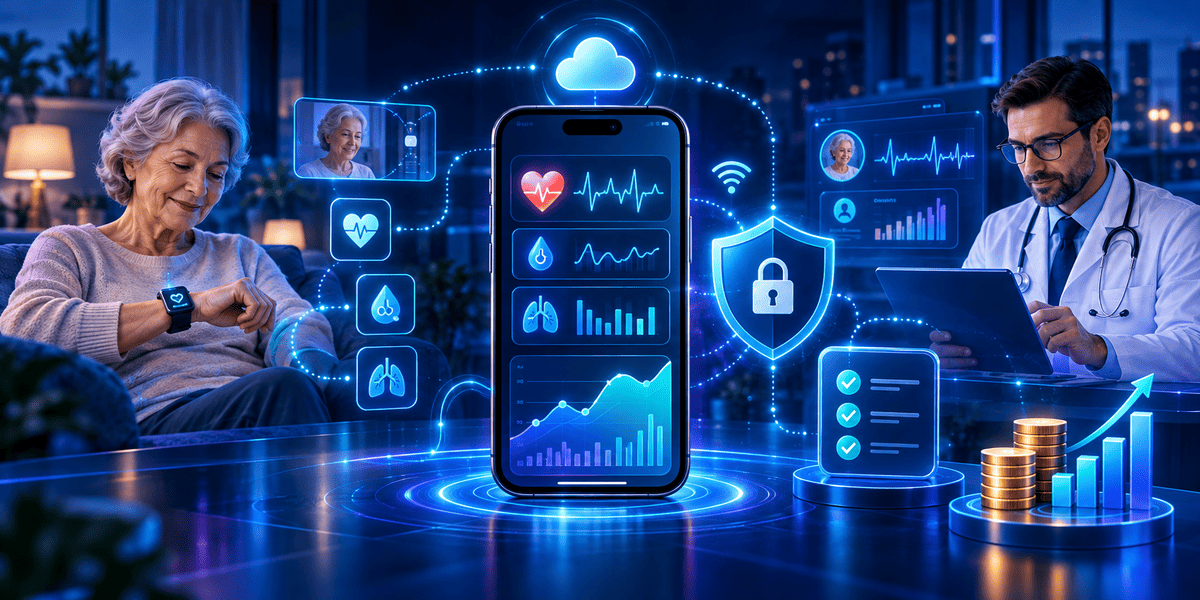


A patient checks their blood pressure at home. The reading is higher than usual. The device sends the result to an app, but the care team does not see it until the next day.
The data was collected. Yet the system failed to turn it into timely care.
This is one of the key problems remote patient monitoring app development must solve.
For hospitals, clinics, and digital health businesses, collecting health data is only the first step. The real goal is to help care teams see changes, act on alerts, and keep patient data safe.
Building such an app raises several questions. Which features do you need? How much will it cost? What makes an app HIPAA compliant? How can you build a system that works for both patients and care teams?
This guide explains the key features, development process, cost factors, and HIPAA checklist. It also shows how to avoid common mistakes before your project begins.
What Is Remote Patient Monitoring App Development?
Remote patient monitoring (RPM) app development is the process of building software that collects and shares patient health data from outside a healthcare facility.
The app connects patients, medical devices, and healthcare teams.
For example, a patient with high blood pressure may use a connected blood pressure monitor at home. The device sends readings to an RPM app. The app saves the data and helps the care team review changes over time.
An RPM system may track:
- Blood pressure
- Heart rate
- Blood glucose
- Blood oxygen levels
- Body weight
- Other clinical measures supported by connected devices
The exact data depends on the patient's condition, the devices used, and the care plan.
How Does a Remote Patient Monitoring App Work?
A typical RPM system follows five steps:
- Data collection: A patient takes a reading with a connected medical device.
- Data transfer: The reading moves to a mobile app or connected gateway.
- Secure storage: The system sends and stores the data using suitable security controls.
- Health review: A care team checks trends and alerts through a dashboard.
- Care action: A qualified care team member decides whether follow-up is needed.
The key difference between a simple health tracker and an RPM platform is the care workflow.
A health tracker may show a reading. An RPM platform must also help the right person review it and decide what happens next.
Why Is Remote Patient Monitoring Important for Healthcare Businesses?
Healthcare does not end when a patient leaves a clinic.
Patients with long-term conditions may need regular checks between visits. Yet daily clinic visits are not always practical.
Remote monitoring helps care teams collect useful data while patients remain at home.
For businesses, it can also support new care models and help staff manage patients with less manual data entry.
Consider a clinic that cares for 300 patients with high blood pressure.
If each patient needs frequent follow-up, staff may spend many hours calling patients and recording readings by hand.
An RPM platform can collect supported device readings, show trends, and flag missing data. Staff can then focus on patients who need follow-up.
This does not remove the need for clinical judgement. It helps care teams use their time more effectively.
Who Needs Remote Patient Monitoring Software?
RPM software development can serve different business needs.
Hospitals and health systems may use RPM to follow patients after discharge or manage long-term conditions.
Clinics and physician groups may use it to review home readings and support ongoing care plans.
Digital health startups may build condition-specific monitoring products for patients and providers.
Medical device companies may develop companion apps that connect their devices to care teams.
Home healthcare providers may use RPM to support patients who receive care outside a hospital.
Each business needs a different workflow. A small clinic may need a simple patient app and web dashboard. A large healthcare network may need several device integrations, care team roles, reporting tools, and EHR connectivity.
What Are the Benefits of Remote Patient Monitoring Apps?
1. Support Earlier Follow-Up
Regular readings may help care teams spot changes between visits.
For example, a patient with heart failure may record their weight each morning. A care team may use a sustained change, together with other symptoms and clinical context, to decide whether follow-up is needed.
The app should not make that medical decision on its own unless the function has been designed, validated, and appropriately regulated for that purpose.
2. Reduce Manual Data Collection
Without connected devices, patients may write readings on paper or share them by phone.
An RPM app can automate parts of this process.
Staff may spend less time entering data and more time reviewing readings, contacting patients, and updating care plans.
3. Improve Access to Ongoing Care
Some patients live far from healthcare facilities. Others may find travel difficult.
Remote monitoring can help them share health data from home, though it does not replace visits, tests, or emergency services when these are needed.
4. Make Trends Easier to Review
A single reading tells only part of the story.
An RPM dashboard can show changes over days or weeks. Care teams can review trends alongside symptoms, medical history, and treatment plans.
Clear charts, dates, device details, and missing-data markers help clinicians understand what they are seeing.
5. Support Scalable Care Programs
As a care programme grows, manual follow-up becomes harder.
An RPM platform can help teams group patients, assign review tasks, and track whether alerts have been handled.
The goal is not to create more alerts. It is to make each alert useful and actionable.
How to Build a Remote Patient Monitoring App: Step-by-Step Process
A good RPM app begins with a clear care problem, not a long feature list.
Step 1: Define the Clinical Use Case
Choose the patients and conditions your app will support.
For example, your first release may focus on home blood pressure monitoring.
Document:
- Who will use the app?
- Which devices will patients use?
- How often should readings be collected?
- Who will review the data?
- What happens when a reading needs attention?
- What happens when no reading arrives?
Ask a qualified clinical team to define the care protocol. Developers should not create medical thresholds or escalation rules without clinical input.
Step 2: Select the Right RPM App Features
The most useful remote patient monitoring app features are those that support your care process.

A common mistake is building every feature at once.
Start with the smallest set that enables a safe, useful monitoring workflow.
Step 3: Design the Patient and Clinician Experience
An RPM app has at least two user groups: patients and care teams.
Patients need a simple interface. Large text, clear actions, and easy device pairing can help people who are less comfortable with technology.
A patient should be able to answer three basic questions:
- Did my reading reach the care team?
- Is my device working?
- What should I do if I need help?
Clinicians need a different view.
They should see which patients need review, when the last reading arrived, and which alerts are still open.
Practical example:
A patient sends a blood pressure reading. The app shows that the reading was received. The clinician dashboard shows the time, device source, and alert status.
If the connection fails, the patient sees a clear retry message. The care team can distinguish a missing reading from a normal one.
This small design choice may prevent a serious data gap from going unnoticed.
Step 4: Plan Device and EHR Integration
Device support is a major part of RPM software development.
Some devices connect through Bluetooth. Others send data through a cellular network or manufacturer cloud API.
Before choosing a device, check:
- Does the manufacturer provide an API or software development kit?
- Can the device send readings with correct units and timestamps?
- How does it work when the internet is unavailable?
- Can the system detect duplicate or delayed readings?
- What support and maintenance does the device vendor provide?
If the app must connect with electronic health records, standards such as HL7 FHIR may help exchange supported healthcare data.
Do not assume every device or EHR offers the same level of integration.
Step 5: Build a Secure App Architecture
A typical RPM platform has four core parts:
Patient app: Collects readings, shows basic health trends, and supports patient tasks.
Device integration layer: Receives readings from approved devices or vendor APIs.
Backend services: Validate, store, and process data while applying access controls and approved business rules.
Clinical dashboard: Helps authorised staff review patient information and manage follow-up tasks.
A technical design may use a mobile framework such as React Native or Flutter, a backend such as Node.js or Python, a database, and secure cloud infrastructure.
The best technology stack depends on scale, device compatibility, data needs, and regulatory obligations.
Step 6: Implement HIPAA Safeguards
If your RPM platform handles protected health information on behalf of a HIPAA-covered healthcare organisation, HIPAA requirements are likely to apply.
A HIPAA-compliant remote patient monitoring app needs more than secure login and encrypted storage.
Compliance also involves risk analysis, staff access, vendor agreements, incident response, and ongoing security management.
HIPAA Checklist for Remote Patient Monitoring Apps
Use this checklist as a starting point for project planning.
- Determine whether the organisation is a HIPAA-covered entity, a business associate, or neither.
- Identify the protected health information the app creates, receives, stores, or transmits.
- Conduct and document a security risk analysis.
- Define each user's access rights and review them regularly.
- Use strong authentication and appropriate session controls.
- Apply suitable encryption for stored and transmitted data based on the risk analysis.
- Record access and important system activity in audit logs.
- Obtain required business associate agreements with applicable vendors.
- Set backup, recovery, and system availability procedures.
- Create policies for security incidents and potential data breaches.
- Train staff who handle protected health information.
- Test the system and reassess risks when features, devices, or vendors change.
Important: This checklist is not a HIPAA certification or a legal compliance guarantee. Controls must match the organization's role, risks, and applicable rules. Some HIPAA Security Rule implementation specifications are addressable rather than universally mandatory in the same form; the organization must assess and document suitable measures.
For official guidance, see the U.S. Department of Health and Human Services HIPAA Security Rule resources.
Step 7: Test with Realistic Care Scenarios
Testing should cover more than whether buttons and screens work.
An RPM app must handle real-world failures.
For example:
Scenario: A patient takes a reading, but the internet connection fails.
The team should test whether the app saves the reading safely, shows the correct status, and sends it later without creating duplicate records.
Other important tests include:
- Incorrect or missing device readings
- Device disconnection
- Duplicate data
- Incorrect units or timestamps
- Unauthorized account access
- Delayed notifications
- Dashboard downtime
- Backup and recovery failures
- Accessibility and usability problems
Security testing, device integration testing, and clinically reviewed workflow testing should happen before launch.
Step 8: Launch a Pilot and Improve
Avoid launching a large monitoring program without testing the full workflow with a smaller group.
A pilot can show how patients use the app and how much work the platform creates for staff.
Track missed readings, alert response times, technical issues, and user feedback.
Use the results to improve onboarding, alerts, device support, and dashboard design before expanding the program.
What Is the Remote Patient Monitoring App Development Cost?
The remote patient monitoring app development cost depends on the product's scope, device integrations, security needs, and complexity.
A simple patient app costs less to build than a full platform with several devices, clinical dashboards, EHR integrations, and advanced analytics.
The following ranges are illustrative budgeting scenarios, not verified market averages or fixed quotations.

These figures assume custom software work and can change significantly with team rates, validation needs, integrations, and security requirements. Medical device hardware, clinical operations, regulatory submissions, and ongoing vendor charges may be additional expenses.
What Factors Affect RPM Development Cost?
Device integrations: Each new device family may need separate APIs, testing, and support.
Clinical workflow complexity: More care programs may require more alert rules, dashboards, and review processes.
EHR integration: Data mapping, authentication, compatibility testing, and vendor access can add cost.
Security and compliance: Risk assessment, security controls, documentation, and independent testing require time and resources.
User experience: Patient accessibility, language support, and complex clinician workflows may increase design and testing work.
Scale and reliability: Larger patient populations may require more infrastructure, monitoring, and operational support.
How Can You Control RPM Development Costs?
Start with one patient group, one clear workflow, and a limited set of devices.
Use proven components where they meet your needs. Avoid custom-building functions that a suitable and properly assessed platform already provides.
Set a separate budget for security, testing, maintenance, and device support.
Most importantly, do not treat compliance or patient safety checks as optional ways to save money.
What Challenges Can Affect RPM App Development?
Challenge 1: Devices Send Incomplete or Incorrect Data
Problem: Devices may disconnect, send delayed readings, or use different formats.
Solution: Validate device data, preserve source details, and mark missing readings clearly. Test each supported device before deployment.
Challenge 2: Care Teams Receive Too Many Alerts
Problem: An alert system can become hard to manage when it sends too many low-value notifications.
Solution: Ask clinical experts to define alert rules, urgency levels, and response paths. Measure alert volume and review the rules as needed.
Challenge 3: Patients Stop Using the App
Problem: Long setup steps, hard-to-read screens, and device pairing errors can reduce use.
Solution: Simplify onboarding, test with representative patients, and provide clear help when devices fail.
Challenge 4: Security Is Added Too Late
Problem: Teams may finish building an app before reviewing where sensitive data travels.
Solution: Include security and privacy requirements during discovery. Review data flows, vendors, access controls, and incident plans before launch.
Challenge 5: The App Has No Clear Escalation Process
Problem: A reading reaches the system, but nobody is clearly responsible for reviewing it.
Solution: Define ownership, review hours, escalation steps, and backup coverage with the clinical organization.
This is one of the most important design choices in RPM: a received reading is not the same as a reviewed reading.
Challenge 6: Regulatory Requirements Are Misunderstood
Not every health app is regulated in the same way.
A basic app that stores and displays readings may have different obligations from software that controls a medical device, analyzes medical signals, or provides patient-specific treatment recommendations.
The FDA assesses device software functions based on intended use and risk. Teams should determine whether FDA medical device requirements apply before finalizing product scope.
Refer to the FDA's guidance on device software functions.
How Do You Measure the Success of an RPM App?
A successful RPM platform should be measured by how reliably it supports care, not just by app downloads.
The table below provides useful performance metrics and example pilot targets, not validated universal industry benchmarks.
KPIWhat it measuresExample pilot targetDevice onboarding rateShare of enrolled patients who connect a device90%Reading completion rateExpected readings successfully captured85%Data delivery successValid readings received by the platform99%Alert review timeTime from alert creation to staff reviewSet by clinical urgencyActive patient rateEnrolled patients still using the system80% after 30 daysSupport requestsTechnical issues per 100 active patientsImprove month by month
Targets should be reviewed against clinical needs and real pilot performance.
Example: How Can an RPM App Save Staff Time?
Suppose a clinic tracks 200 patients.
If staff spend five minutes per patient each week entering readings manually, that equals:
200 patients × 5 minutes = 1,000 minutes, or about 16.7 staff hours per week.
If an RPM platform eliminates 60% of that manual entry, the potential saving is about 10 hours per week.
This is an illustrative calculation, not a measured RPM outcome. It excludes time spent on alerts, technical support, training, and patient follow-up.
To measure actual value, compare workflows before and after implementation.
The most useful business question is not simply, "How many readings did we collect?"
It is, "Did the system help our team deliver care more reliably and use its time better?"
Conclusion
Remote patient monitoring app development is not just about connecting a wearable device to a mobile screen.
A useful RPM platform must help patients share readings, help care teams review the right information, and protect sensitive health data.
Start with a clear use case. Choose the features your care program needs. Build security into the system from day one. Test device failures and patient workflows before launch.
Most importantly, design for what happens after a reading arrives.
The right RPM solution should support safe, practical care while giving your healthcare business a platform it can improve and grow.
Frequently Asked Questions
1. What is remote patient monitoring app development?
Remote patient monitoring app development is the process of building software that collects patient health data from connected devices and shares it with authorized care teams for review.
2. How much does it cost to develop an RPM app?
Cost depends on device support, features, integrations, and compliance needs. An illustrative custom MVP budget is $40,000–$90,000, but actual quotes may be higher or lower after requirements are reviewed.
3. What are the essential features of an RPM app?
Core features include patient onboarding, device connectivity, health data tracking, a clinician dashboard, secure access, missing-data tracking, and clinically approved alert workflows.
4. How long does it take to build a remote patient monitoring app?
A focused MVP may take around three to six months as an initial planning assumption. Complex integrations, regulatory work, and clinical validation can extend the timeline.
5. How do you build a HIPAA compliant remote patient monitoring app?
Start by assessing HIPAA applicability and documenting data flows. Conduct a risk analysis, implement suitable safeguards, establish required vendor agreements, train staff, and maintain ongoing security processes.
6. Can an RPM app connect with electronic health records?
Yes. RPM apps can connect with compatible EHR systems through supported APIs and standards such as HL7 FHIR. Integration depends on the EHR vendor and the data involved.
7. What medical devices can connect to an RPM app?
RPM apps may connect to blood pressure monitors, glucose meters, pulse oximeters, weight scales, and other supported devices. Compatibility must be confirmed for each device model and integration method.
8. Does an RPM app require FDA approval?
Not always. FDA obligations depend on each software function's intended use and regulatory classification. Some functions are not medical devices, while others may require FDA review or other controls.
9. Can AI be used in remote patient monitoring apps?
Yes. AI may help organize data, identify patterns, or support staff workflows. However, patient-specific clinical recommendations and other higher-risk functions need careful validation and regulatory assessment.
10. How do you choose an RPM software development company?
Look for experience with secure applications, device APIs, healthcare data integration, testing, and scalable architecture. Ask how the team manages risk, clinical input, and long-term maintenance.
Build a Secure Remote Patient Monitoring App with Infinijith
Planning an RPM app for your healthcare business?
Infinijith Apps & Technologies can help you explore custom mobile app development, backend systems, device integrations, and secure cloud architecture for your RPM project.
Share your business idea, target users, and device requirements with our team. We can discuss the product scope, technical approach, development timeline, and estimated budget.
Contact Infinijith to discuss your remote patient monitoring app development project.