

Imagine a service business with a simple goal: help field staff turn spoken notes into clean job reports before they leave a customer site. The owner does not need "AI". The owner needs fewer missed details, faster billing, and less admin work.
That difference matters.
Many AI projects begin with a model and search for a problem later. A useful product starts with one costly task, a clear success measure, and a safe path for errors.
This guide explains AI-powered mobile app development for business owners in plain language. You will learn how to choose a use case, plan the AI mobile app architecture, build a focused first version, test real-world behaviour, control risk, and measure business value.
What is AI-powered mobile app development?
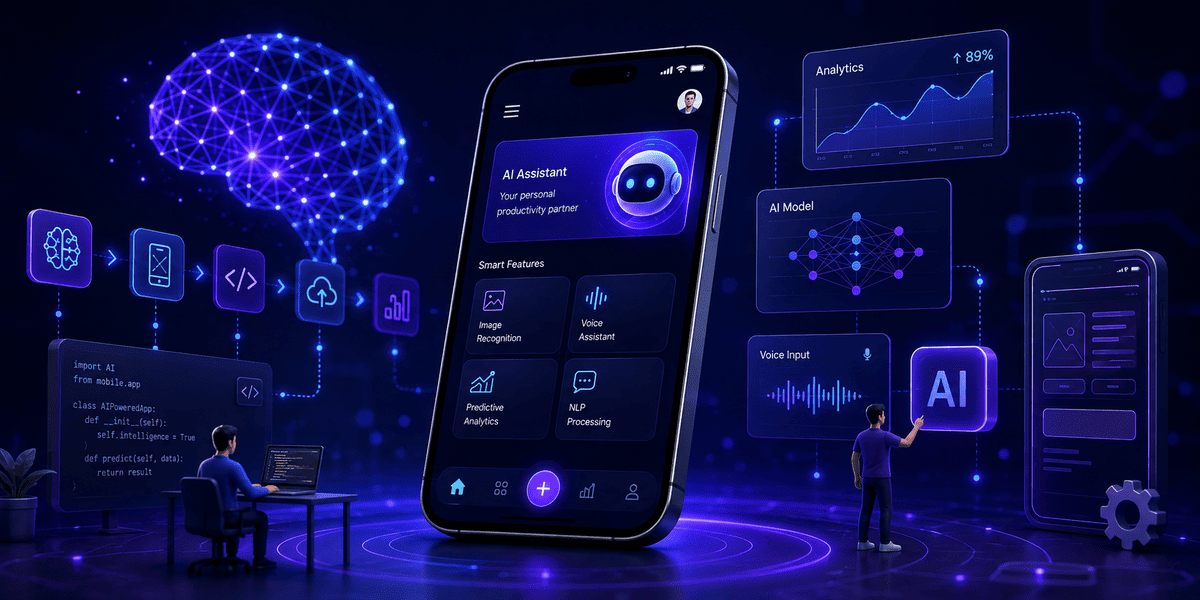
AI-powered mobile app development is the process of building a mobile product that can interpret, predict, generate, recommend, or automate. The AI may run on the phone, in the cloud, or in both places.
Examples include:
A retail app that recommends the next best product.
A logistics app that reads delivery notes and flags missing data.
A finance app that sorts expenses and detects unusual activity.
A support app that answers questions from approved company content.
A health app that summarises a user's own tracking data without making a diagnosis.
A production app also needs a useful interface, secure data, APIs, analytics, monitoring, and human support.
Why is AI integration in mobile apps important in 2026?
Mobile is where customers and staff act. AI can remove steps: users can speak instead of type, scan instead of enter, or receive a useful suggestion before searching menus.
On-device AI has also become more practical. Android's Gemini Nano guidance highlights offline use, lower network dependence, privacy safeguards, and reduced inference cost. Apple's Core ML supports running trained models inside apps on Apple devices. This creates a real design choice: keep sensitive or time-critical work on the device, and send heavier tasks to secure cloud services when needed.
Why should a business choose an AI feature instead of normal automation?
Choose AI when inputs are messy or the answer needs judgement. Use normal rules when the task is fixed and predictable.
A tax calculation should use rules. Reading damage from a photo may need computer vision. Often, AI interprets input while normal code validates totals, permissions, and business rules.
This hybrid pattern is safer than asking one model to do everything.
When should you build an AI mobile app?
Build when these statements are true:
Users repeat a painful task often.
AI can remove a clear part of that task.
You can access lawful, relevant data or use a capable existing model.
Success can be measured with time, quality, revenue, cost, or risk.
Do not begin with “add a chatbot". Begin with a testable outcome such as reducing quote preparation from 20 minutes to 5.
Who needs AI mobile app development?
Any business with high-volume decisions, unstructured content, or repetitive mobile work may benefit, including retail, logistics, manufacturing, healthcare operations, finance, real estate, education, travel, and field service.
Benefits
1. Faster customer and employee workflows
AI can turn speech, images, and free text into structured data. A worker speaks, the app fills the report, and the worker checks it. The value is a finished workflow, not a transcript.
2. More relevant experiences
Recommendations can adapt to intent, history, location, or context. Users should still be able to search, filter, and correct the system.
3. Better use of business knowledge
A retrieval-augmented generation, or RAG, system searches approved content before it answers. A support app can use manuals, policies, and account data instead of only a model's general knowledge.
4. Lower cloud dependence for selected tasks
On-device models can support offline actions, avoid a server round trip, and keep data local. Cloud AI remains useful for larger models, shared knowledge, and complex reasoning.
5. A learning loop competitors cannot buy.
Models are widely available. Your advantage is workflow knowledge: what users correct, where they stop, and which suggestions they accept. With consent and good governance, this feedback improves the product.
Process (Step-by-Step)
Step 1: Define one business outcome.
Write the problem as a measurable sentence: “Help technicians complete accurate job reports in less than five minutes.” Name the user, trigger, pain, and desired result.
Set one primary metric and two guardrails. The primary metric may be completion time. Guardrails may be correction rate and user complaints. This stops the team from improving speed while harming quality.
Step 2: Map the current workflow.
Watch users perform the task. Record each input, decision, delay, and exception. Ask where they copy data, wait, or fix errors.
Then mark where AI may help. Do not automate every step. The best first feature often removes one bottleneck while keeping the rest familiar.
Step 3: Validate feasibility with real samples
With permission, collect representative inputs: clean and hard cases, varied devices, weak networks, accents, incomplete forms, and unusual requests.
Score model options on the real task. For extraction, measure field accuracy. For support, score correctness, source support, safety, and usefulness. Hand-picked demos are not evidence.
Step 4: Choose build, buy, or combine.
Most businesses should start with an established API or device model, then add their data, workflow, and controls. Train a custom model only when proprietary data creates a meaningful gain.
Compare quality, latency, privacy, regions, cost per successful task, rate limits, portability, and vendor terms. Do not choose by a leaderboard alone.
AI mobile app development cost
Step 5: Design the AI mobile app architecture.
A practical architecture has six parts:
Mobile client: captures input, shows progress, and lets the user review results.
Application backend: handles identity, permissions, business rules, and integrations.
AI orchestration layer: selects prompts, tools, models, fallbacks, and output formats.
Data and retrieval layer: stores approved content, user data, vectors, and audit records.
Safety layer: filters unsafe input and output, validates structure, and limits actions.
Observability layer: measures latency, cost, quality, failures, and user feedback.
Use a hybrid design when it helps. Run small, private, or latency-sensitive tasks on the device. Use the cloud for heavy reasoning, shared data, or complex retrieval. Never place a private model API key inside the mobile app; route protected calls through a backend.
React Native, Flutter, or native development
Step 6: Design trust into the user experience.
Let users edit an AI result before it becomes a record, payment, message, or decision. Label an “AI draft” and cite sources for answers based on company content.
Plan three states: working, uncertain, and failed. Fallbacks include manual entry, a saved draft, or human review. Confidence should change the workflow.
Step 7: Build a narrow MVP.
The first release should solve one end-to-end job: record notes, extract fields, validate data, preview the report, and submit it.
Add structured outputs wherever possible. Validate dates, totals, IDs, allowed actions, and required fields in normal code. Cache safe repeated data, set timeouts, limit retries, and provide a model fallback when the business case justifies it.
Step 8: Test the system, not only the model.
Create a fixed evaluation set and rerun it after every model or prompt change.
Test slow and lost networks, old devices, battery use, permissions, and accessibility.
Probe prompt injection, data leakage, harmful output, and unauthorised tool actions.
Ask domain experts to review high-impact cases.
Run a small pilot and compare results with the old workflow.
NIST's Generative AI Profile recommends managing trust across design, development, use, and evaluation. Treat safety as a lifecycle, not a launch checklist.
Step 9: Launch in stages
Start with internal users or a small customer group. Use feature flags, roll out by cohort, monitor guardrails, and keep a rollback path.
Before public release, update store disclosures, privacy notices, consent, support scripts, and incident plans. Get early legal review in regulated fields.
Step 10: Monitor and improve
Measure each AI request from input to accepted outcome. Firebase Performance Monitoring, for example, supports startup, rendering, network, and custom traces. Production ML guidance also stresses monitoring data and model behaviour, not just server uptime.
Review failures and corrections weekly. Version prompts, models, retrieval content, and evaluation sets. Test each model change before broad release.
Challenges
Unclear ROI
Link AI usage to saved time, conversion, resolution, revenue, or avoided rework. Compare with a baseline and include review time and inference cost.
Unreliable or unsupported output
Generative models can produce confident errors. Ground answers in approved sources, require structured output, validate critical fields, show citations, and use human review for high-impact actions. Do not let free-form text directly trigger payments, account changes, or safety decisions.
Privacy and security risk
Minimise data. Encrypt it in transit and at rest, protect backend secrets, use short retention, and give tools the least access required. Test against OWASP mobile guidance and apply a formal AI risk process such as NIST AI RMF.
Slow or expensive inference
Track latency and cost by feature and model. Shorten context, retrieve fewer passages, stream responses, cache safe results, and route easy tasks to smaller models. Optimise cost per successful task.
Model and data drift
Users, policies, and models change. Keep a stable evaluation set, add new failures, monitor input shifts, and use versioned releases and canary tests.
The common “AI wrapper” mistake
A generic chat box is easy to copy and hard to trust. Differentiate through a complete workflow, proprietary context, clear controls, integrations, and measurable outcomes. The product should finish a job, not merely produce text.
Metrics / Results
There is no honest universal promise such as “AI increases revenue by 30%.” Results depend on the task and baseline. Set pilot targets before development.
Business metrics
Task completion time: median time from start to accepted result.
Completion rate: users who finish the target job divided by users who start.
Conversion or resolution rate: the outcome tied to revenue or service.
Cost per completed task: infrastructure, model, support, and review cost divided by successful tasks.
Rework saved: minutes or cases avoided after human review.
AI quality and safety metrics
Acceptance rate: outputs used with no material edit.
Correction rate: outputs users must change.
Grounded-answer rate: factual answers supported by approved sources.
Critical error rate: outputs that could cause financial, legal, safety, or privacy harm.
Escalation rate: cases sent to a person or fallback flow.
Product and reliability metrics
P50 and P95 response latency.
Crash-free users and sessions.
Timeout, retry, and fallback rates.
Battery, memory, and payload impact by device class.
Cost and latency by model version.
An early pilot might target 50% less task time, under 10% material corrections, no unresolved critical errors, and a useful P95 response time. These are example targets, not benchmarks.
Calculate ROI with a simple model:
Annual value = time saved + added gross profit + avoided loss - annual operating cost.
Count adoption. A feature that saves ten minutes but is used by 5% of eligible users will not deliver the forecast value.
Conclusion
The strongest AI app in 2026 will solve a frequent problem, fit the workflow, and recover safely when the model is wrong.
Start with one outcome. Validate it with real examples. Choose a hybrid AI mobile app architecture when privacy, speed, or cost calls for it. Build a narrow flow, measure accepted outcomes, and improve from real corrections.
That is the practical AI app development process: problem first, system second, model third.
FAQs
1. How do you develop an AI mobile app?
Define one measurable user problem, test model feasibility with real samples, choose an architecture, build a focused MVP, evaluate quality and safety, launch to a small cohort, and monitor outcomes after release.
2. How much does it cost to build an AI mobile app?
Cost depends on app scope, platforms, integrations, data work, compliance, model choice, and expected traffic. Estimate the build cost and the ongoing cost per completed task before approving the project.
3. How long does AI mobile app development take?
A narrow proof of concept may take weeks. A secure production app often takes months because it needs product design, backend work, testing, store release, monitoring, and governance. Complex or regulated systems take longer.
4. Should AI run on the device or in the cloud?
Use on-device AI for privacy, offline use, and low-latency supported tasks. Use cloud AI for larger models, shared knowledge, complex reasoning, and easier central updates. Many products use both.
5. What is the best technology stack for an AI mobile app?
There is no single best stack. Choose native iOS or Android for deep device access, or Flutter/React Native for shared delivery where suitable. Keep AI access behind a secure backend and select models through measured tests.
6. Do I need to train a custom AI model?
Usually not for the first version. Start with a capable existing model plus prompts, retrieval, rules, and your workflow. Consider custom training only when tests show a valuable and repeatable quality gap.
7. How do I keep an AI mobile app secure?
Minimise data, secure keys on the backend, encrypt traffic and storage, enforce least privilege, validate model output, test mobile and AI threats, log high-risk actions, and provide a kill switch and fallback.
8. How do I stop an AI app from giving wrong answers?
You cannot remove all errors. You can reduce harm with approved-source retrieval, structured output, deterministic checks, confidence-based fallbacks, citations, user review, human escalation, and continuous evaluation.
9. How do I measure AI app success?
Measure the business outcome, adoption, task time, acceptance, correction, critical errors, latency, reliability, and cost per completed task. Compare the pilot with the old workflow and a clear baseline.
10. Can an existing mobile app add AI?
Yes. Begin with one isolated workflow and add the AI service through a secure backend or supported on-device model. Use feature flags and staged rollout so the existing app remains stable.
Turn one costly workflow into a useful AI product.
If you have an app idea but are unsure about the model, architecture, budget, or risk, Infinijith can help you turn it into a clear build plan. Our team can assess the use case, design the AI mobile app architecture, build the MVP, integrate AI safely, and set up the metrics needed for launch.
Book an AI-powered mobile app development consultation or request a project estimate today.